
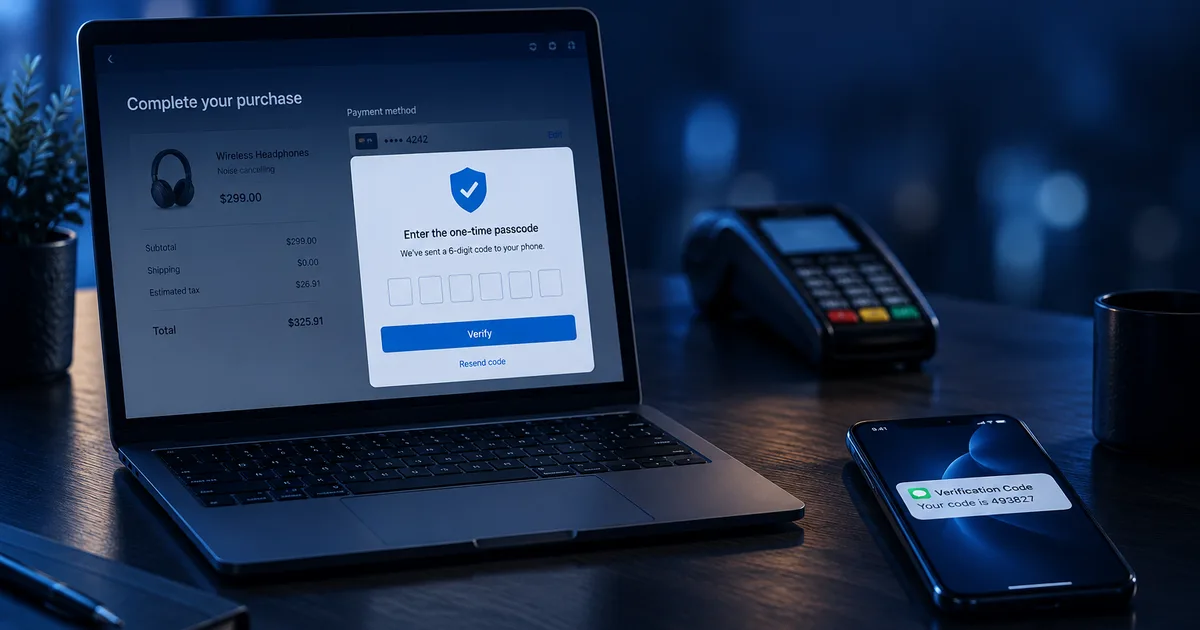
Have you heard the term “3DS” and wondered what it actually means or why your business should care? Whether you’re running an ecommerce site or managing high-risk transactions, 3D Secure (3DS) is more than just a buzzword, it’s a powerful tool for fraud prevention and chargeback reduction. In this blog, we’ll break down what 3DS is, how it works, and how it helps merchants like you.
Quick Answer: What Is 3DS in Payment Processing?
3DS, short for 3D Secure, is an extra layer of security for online card transactions. It helps prevent unauthorized payments by requiring cardholder identity verification during checkout. For merchants, this means fewer chargebacks, stronger fraud protection, better standing under Visa’s VAMP thresholds, and better compliance with card network standards.
What is 3DS?
3D Secure stands for “Three-Domain Secure.” It’s a protocol created by Visa and adopted by other card networks like Mastercard, American Express, and Discover. The “three domains” involved are:
- The merchant/acquirer domain (your business and payment processor)
- The issuer domain (the customer’s bank)
- The interoperability domain (the infrastructure that connects the two, like the card network)
When a customer makes a purchase online, 3DS prompts an extra authentication step (often a one-time code, biometric approval, or app-based verification) to confirm the buyer is the legitimate cardholder.
3DS in Payment Processing: The Three-Domain Authentication Flow


How 3DS Works
Here’s a quick step-by-step:
- Customer enters payment details at checkout.
- If the transaction qualifies, the 3DS protocol kicks in.
- The cardholder is redirected to a verification page or gets a prompt via mobile/app.
- Upon successful verification, the transaction proceeds.
This verification is either “frictionless” (happens in the background) or “challenge-based” (asks the customer for input), depending on risk factors.
3DS in Payment Processing: The Checkout Authentication Flow


3DS 1.0 vs. 3DS 2.0 at a Glance
Is 3DS 2.0 a Separate Standard, or an Upgrade to 3DS 1.0?
3DS 2.0 is an upgrade, not a competing standard. The original 3-D Secure protocol was introduced by Visa back in 2001 (branded “Verified by Visa,” with Mastercard and other networks later adopting their own versions of the same underlying approach). By the mid-2010s, that first version was showing its age: it relied on static passwords that customers routinely forgot, wasn’t built for mobile checkout, and caused enough friction that merchants saw real cart abandonment from it.
In 2016, EMVCo, the consortium jointly owned by Visa, Mastercard, American Express, Discover, JCB, and UnionPay, published the EMV 3-D Secure 2.0 specification as the direct successor to that original protocol, with updates following in 2017 and 2018 to round out mobile and app-based support. The timing wasn’t a coincidence: Europe’s PSD2 regulation was about to make strong customer authentication mandatory, and the old version couldn’t support it well. So when you see “3DS 1.0” and “3DS 2.0” referenced today, it’s the same lineage of technology, one generation replacing the other, not two parallel systems merchants have to choose between.
Benefits of 3DS for Merchants
1. Reduced Fraud
With the added authentication step, it’s much harder for fraudsters to use stolen card information. This is particularly useful for merchants in high-risk & regulated sectors like firearms, educational seminars, and nicotine among others.
2. Fewer Chargebacks
3DS can help shift liability back to the card issuer if fraud occurs, meaning you’re not held responsible. This leads to fewer chargebacks and less revenue lost. For a deeper breakdown of chargeback categories and defenses, see The Ultimate Guide to Chargeback Prevention.
3. Improved Customer Trust
Customers are more likely to complete a purchase when they know their data is protected. 3DS adds visible assurance that your checkout process is secure.
4. Compliance and Global Acceptance
3DS is becoming a standard requirement for online transactions, especially with PSD2 Strong Customer Authentication regulations in Europe and Visa’s own network requirements, which increasingly point merchants toward 3DS as the default. Using 3DS keeps you aligned with global compliance expectations.
How 3DS Helps You Stay Under Visa’s VAMP Thresholds
Visa’s Acquirer Monitoring Program (VAMP) tracks the ratio of fraud and chargebacks against your total transaction volume each month, and if you cross Visa’s thresholds, you can land in a monitoring program with higher fees and added scrutiny. Since 3DS shifts fraud liability to the card issuer and reduces the number of unauthorized transactions that turn into disputes, it directly lowers the numerator in that ratio. For merchants in high-risk verticals already watching their chargeback rate closely, 3DS is one of the most direct levers available for staying under VAMP thresholds rather than reacting after a monitoring notice arrives. See What is VAMP and the Visa Acquirer Monitoring Program? for the full breakdown of how the thresholds work.
Does 3DS Affect Conversion Rates?
It can, but the impact is usually positive when implemented correctly. With 3DS 2.0, friction is reduced thanks to smarter risk analysis and biometric authentication. Most customers won’t even notice it unless a challenge is needed.
Who Should Use 3DS?
Almost every business accepting online payments can benefit, especially if you’re in:
- High-ticket ecommerce
- Subscription billing
- International sales
- High-risk verticals
Frequently Asked Questions
What does 3DS mean in payment processing?
3DS stands for 3D Secure, a security protocol that verifies cardholder identity during online transactions to reduce fraud and chargebacks.
Does 3DS affect my checkout process?
Only slightly at most. With 3DS 2.0, most verification happens in the background. When needed, the customer may complete a quick challenge like entering a one-time code.
Is 3DS mandatory?
It depends on your region and industry. While not always mandatory, it’s highly recommended for fraud prevention and liability protection.
Can 3DS help me avoid VAMP flags?
Yes. By reducing fraud and chargebacks, 3DS helps keep you below Visa’s VAMP thresholds, especially if you’re in a high-risk industry.
How do I enable 3DS for my business?
Work with your payment processor or gateway provider. If you don’t have one, reach out to Vector Payments and we’ll walk you through it.
Related from our Blog
- What is VAMP and the Visa Acquirer Monitoring Program?, a full breakdown of the thresholds 3DS helps you stay under.
- The Ultimate Guide to Chargeback Prevention, 10 tips for protecting your business beyond 3DS alone.
- Everything You Need to Know About High-Risk Merchant Accounts, for the bigger picture on underwriting and risk.
How Vector Payments Helps
At Vector Payments, we support 3DS integrations for a wide range of businesses. Whether you’re trying to prevent chargebacks, lower fraud, or stay compliant, our solutions are built to scale with you.
Contact Us Today